
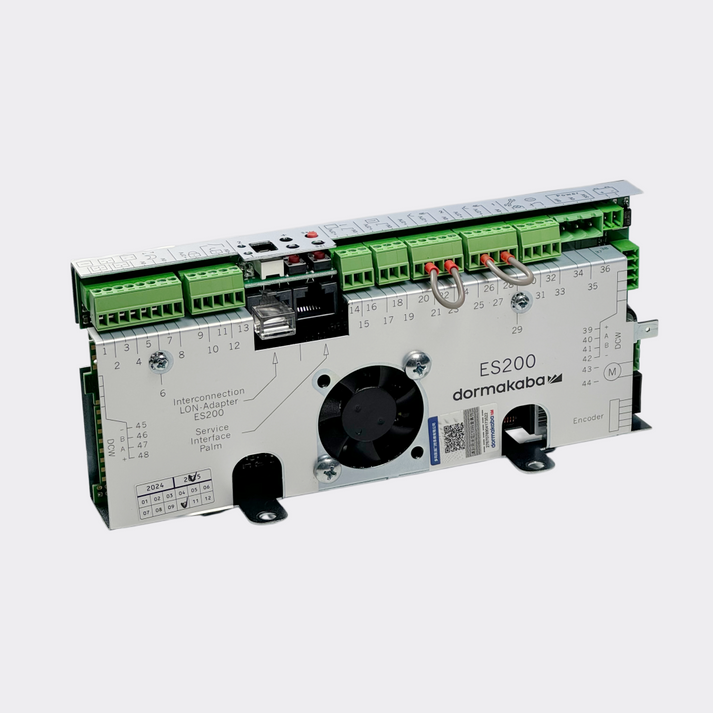
Ensure that the instructions for COMMISSIONING – ADJUSTMENT - FUNCTIONAL TEST and PARAMETERISATION are ready to hand for your Dorma ES200 system.
Control Unit Response to Short Circuit
ES 200 Easy / ES 200-2D / ES 200 CO48 / DAC 300
The 27 V power supply for radar motion detectors, the locking device, etc., is short-circuit proof.
- In the event of a short circuit, both control LED lights of the light barriers go out.
- The 7-segment display indicates error 3 (program switch).
- Once the short circuit is removed, the 27 V power supply is restored automatically.
ES 200
The Dorma ES 200 motor amplifier is additionally short-circuit proof. Once the short circuit is removed, power is automatically restored to the motor.
Commissioning & Fault Checks
If faults arise during commissioning or operation, please verify the following checklist before consulting the troubleshooting table:
- Have all maintenance intervals been observed and maintenance performed?
- Have all wear parts been checked and replaced if required?
- Is the power supply connected?
- Is the EMERGENCY OFF pushbutton off (unlatched)?
- Is the program switch set correctly?
- Are the areas monitored by the light barriers clear and clean?
- Is the door blocked by an obstruction?
- Is the door running smoothly (check counter rollers, floor guides)?
- Are all external activators, EMERGENCY OFF pushbutton, program switch, and locking device connected correctly?
- Have all connection points been checked?
- Is the rechargeable battery pack correctly connected?
Safety Warning: Should you perform installation work, disconnect the power plug and the battery pack in order to keep the control unit voltage-free. After a fault is redeemed, the error code must be deleted.
Deleting error codes: Set program switch to OFF.
Troubleshooting Table
| Fault Description | Possible Causes | Remedy |
|---|---|---|
| The door doesn't perform the learning cycle |
|
|
| Door runs jerkily and out of control | Light barriers (LS) | Check light barrier function with the help of the LED on the basic module. |
| Door remains open after rotational self-check (every 4 hours) | EMERGENCY OFF pushbutton | Bridge the connector inputs. If fault is cured by this, check EMERGENCY OFF pushbutton and exchange if necessary, then check with the help of the PDA. |
| Door remains open in all program switch settings / Detector emitting continuous signal | External detector / Internal detector | Remove connector of radar motion detector. If fault is cured by this, replace radar movement detector. |
| The learning cycle has not been performed | Door weight is still undetermined | Perform learning cycle. |
| Door remains open (blocking sensor issue) | Blocking sensor is too sensitive for the door set (e.g. small, high and heavy door leaves) | Adjust blocking sensor to door set with the help of the force limitation (OPEN, CLOSE) and the delay time via the PDA. |
| Screw presses against track roller | Mechanical obstruction | Replace or trim screw. |
| Basic module indicates error "1" (obstruction during commissioning) | Basic module connected to a 2D door system and expecting a FST module | Restore original settings. Perform a learning cycle. |
| ES 200 CO48: Rubber belt doesn't open door | Rubber belt issue | Check the rubber belt, replace if required. |
| DAC 300: Solenoid doesn't hold rubber belt | Solenoid or tension issue | Check the solenoid and the tension of the rubber belt, replace if required. |